
Starting a YouTube channel can feel overwhelming, especially when you start comparing mirrorless cameras, DSLRs, compact cameras, webcams, smartphones, lenses, microphones, and accessories. The good news is that you do not need an expensive professional camera to start a successful YouTube channel.
The right camera depends on the type of videos you plan to create, your budget, lighting conditions, shooting style, and how much you want to grow your setup over time.
In this post, we’ll explain what camera you need to start a YouTube channel, what features actually matter, and which type of camera makes sense for different creators.
What Camera Do You Need to Start a YouTube Channel?
For most beginners, a mirrorless camera with reliable autofocus, a flip-out screen, 4K video, and an external microphone input is an excellent starting point.
However, you don’t necessarily need to spend ₹50,000 or more.
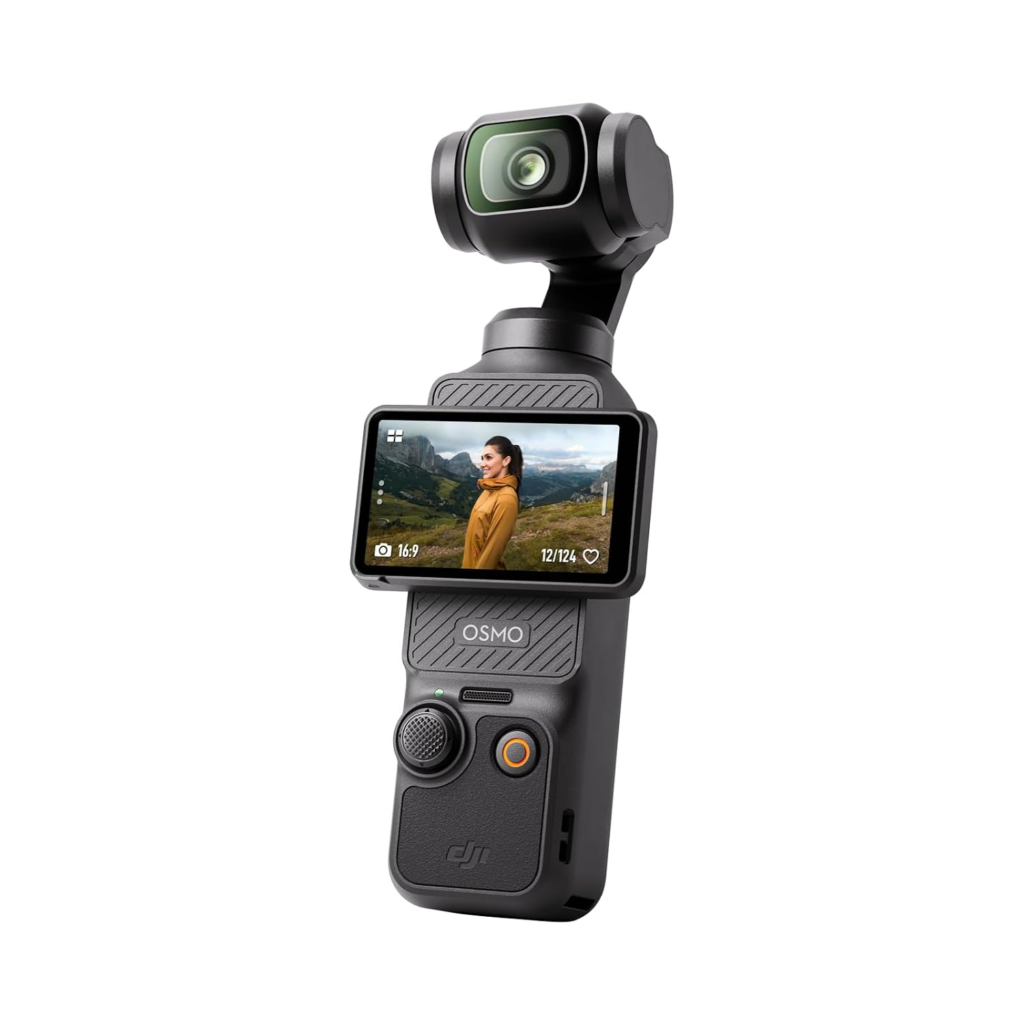
Here is a simple breakdown:
| Creator Type | Recommended Camera Type | Typical Budget |
|---|---|---|
| Beginner/vlogger | Smartphone or compact camera | ₹15,000–₹40,000 |
| Talking-head YouTuber | Mirrorless camera | ₹40,000–₹80,000 |
| Travel vlogger | Compact/mirrorless | ₹30,000–₹80,000 |
| Product reviewer | Mirrorless camera | ₹40,000–₹1 lakh+ |
| Gaming creator | Webcam + computer setup | ₹5,000–₹30,000 |
| Professional creator | Advanced mirrorless | ₹1 lakh+ |
| Action/outdoor creator | Action camera | ₹25,000–₹50,000 |
These are broad budget ranges rather than fixed prices because camera and lens prices can change frequently.
Do You Really Need a Camera for YouTube?
Not necessarily.
A modern smartphone can produce surprisingly good YouTube footage, particularly when you have good lighting and stable framing.
For someone starting from zero, spending money on lighting and audio can sometimes improve the final video more than immediately buying an expensive camera.
A smartphone may be enough if you are creating:
- YouTube Shorts
- Talking-head videos
- Tutorials
- Educational content
- Simple product demonstrations
- Travel videos
- Behind-the-scenes content
- Social-media-style videos
Once you understand your content style and upload consistently, you can upgrade to a dedicated camera.
What Camera Type Is Best for YouTube Beginners?
There are several camera categories worth considering.
1. Mirrorless Cameras
Mirrorless cameras are one of the most popular choices for serious YouTube creators.
They combine interchangeable lenses, strong image quality, compact designs, and advanced video features.
A good beginner mirrorless camera should ideally offer:
- 4K video
- Reliable autofocus
- Face and eye detection
- Flip-out or articulating screen
- Microphone input
- Headphone output if possible
- Good low-light performance
- Stabilization or lens-based stabilization
- USB connectivity
- Reasonable battery life
The biggest advantage is flexibility. You can start with a standard lens and later add a wide-angle, portrait, macro, or telephoto lens depending on your content.
2. Compact Cameras
Compact cameras can be excellent for beginners who want something smaller and easier to carry.
They are particularly useful for:
- Vlogging
- Travel
- Walking videos
- Everyday content
- Family-friendly channels
- Quick filming
The trade-off is that some compact cameras provide fewer lens and accessory options than mirrorless systems.
3. Action Cameras
If your channel involves cycling, hiking, motorcycling, sports, adventure travel, or water activities, an action camera can make more sense than a traditional camera.
Their small size and rugged construction make them convenient for difficult shooting conditions.
However, action cameras aren’t necessarily the best choice for studio-style talking-head videos.
4. Smartphones
Don’t underestimate your phone.
If you’re just starting your channel, your smartphone can help you learn the fundamentals of YouTube without a major investment.
The important factors are:
Lighting + audio + composition + storytelling > expensive camera.
A ₹20,000 phone used well can produce more watchable content than a ₹1 lakh camera used poorly.
Key Camera Features for YouTube
Instead of choosing a camera based only on megapixels, look at the features that actually affect video production.
1. 4K Video
4K has become an important feature for modern YouTube creators.
Even if you publish primarily in 1080p, recording in 4K can give you additional flexibility when editing and cropping footage.
For example, you can crop a 4K recording to create a tighter shot while retaining a usable 1080p output.
For a new camera purchase, 4K recording is worth prioritizing.
2. Autofocus
Good autofocus can make a huge difference.
If you are recording yourself, you don’t want to constantly stop filming because the camera focused on the background instead of your face.
Look for:
- Face detection
- Eye detection
- Subject tracking
- Continuous autofocus
- Reliable autofocus during video recording
This is particularly important for solo YouTubers.
3. Flip-Out Screen
A fully articulating screen is extremely useful when filming yourself.
You can see:
- Your framing
- Your face position
- Background composition
- Whether you’re in focus
- Whether unwanted objects have entered the frame
For talking-head videos and vlogging, a flip-out screen can be more useful than many advanced camera specifications.
4. External Microphone Input
Never overlook audio.
Viewers may tolerate average video quality, but poor audio can make a video difficult to watch.
An external microphone can dramatically improve your production quality.
Before buying a camera, check whether it supports an external microphone.
Depending on your setup, you could use:
- Lavalier microphone
- Wireless microphone
- Shotgun microphone
- USB microphone for desk videos
5. Headphone Output
A headphone jack isn’t essential for everyone, but it is useful for more serious creators.
Monitoring audio allows you to detect:
- Background noise
- Microphone problems
- Distortion
- Clothing rubbing against a lavalier
- Excessively low or high recording levels
If you’re investing in a camera for long-term YouTube production, headphone monitoring is worth considering.
6. Low-Light Performance
If you frequently record indoors, low-light performance matters.
A larger sensor can help produce cleaner footage in challenging lighting conditions, although your lens and lighting setup also have a major impact.
For indoor YouTube videos, don’t rely entirely on the camera’s sensor.
A simple LED light positioned correctly can make a significant difference.
How Much Should You Spend on a YouTube Camera?
You don’t need to spend a fortune.
Under ₹20,000
Consider using your smartphone or an entry-level webcam/action camera.
This is a sensible range for testing whether you actually enjoy creating content.
₹20,000–₹40,000
You can start looking at better compact cameras, action cameras, webcams, or entry-level camera systems, depending on the type of content you create.
₹40,000–₹70,000
This is where many serious beginners should start looking at entry-level mirrorless cameras.
You can potentially get:
- Good 4K video
- Strong autofocus
- Interchangeable lenses
- Flip-out display
- External microphone support
- Better image quality
Remember that your budget should include the lens and accessories, not just the camera body.
₹70,000–₹1,00,000+
You can build a more capable creator setup with a better camera and lens combination.
At this level, you’re paying more for improved autofocus, stabilization, image quality, lens options, ergonomics, and additional video features.
What Camera Do You Need for Different YouTube Channels?
Your content should determine your camera.
For Talking-Head Videos
If you sit at a desk and talk directly to the camera, look for:
- Excellent autofocus
- Flip-out display
- External microphone support
- Good indoor image quality
- 4K recording
- A lens suitable for your room size
A beginner mirrorless camera is an excellent fit.
For Vlogging
Vloggers should prioritize:
- Lightweight body
- Good stabilization
- Wide-angle lens
- Flip-out screen
- Reliable autofocus
- Good battery life
- External microphone support
A smaller camera can be more practical than a large professional setup.
For Travel YouTube Channels
Travel creators need portability.
Look for a camera that is:
- Lightweight
- Durable
- Easy to carry
- Fast to operate
- Good in changing lighting
- Capable of stable handheld video
A compact camera or small mirrorless system can work well.
For Product Review Channels
Product reviewers have slightly different requirements.
You may want:
- Sharp 4K footage
- Excellent autofocus
- Close-focusing capability
- Good color reproduction
- External microphone support
- Tripod compatibility
- Interchangeable lenses
A mirrorless camera is particularly useful because you can change lenses as your review style develops.
For YouTube Shorts
You don’t necessarily need an expensive camera.
A smartphone or compact camera can be perfectly adequate.
Prioritize:
- Fast autofocus
- Vertical shooting
- Stabilization
- Good lighting
- Clear audio
For Shorts, content quality and presentation often matter more than buying a high-end interchangeable-lens camera.
Should You Buy a DSLR or Mirrorless Camera for YouTube?
For a new purchase, mirrorless cameras generally make more sense if you’re building a modern video-focused setup.
DSLR cameras can still produce excellent footage, but mirrorless systems are widely used for contemporary video workflows and offer compact bodies and strong live-view/video capabilities.
If you’re buying used equipment, however, a DSLR can still be worth considering if it meets your specific requirements.
The important thing is not the label on the camera but the features it provides for your style of content.
What Lens Should a Beginner YouTuber Buy?
The lens can have as much influence on the final image as the camera body.
For a beginner, a standard kit lens is often the easiest place to start.
It gives you flexibility for:
- Talking-head videos
- Product demonstrations
- Indoor filming
- Casual photography
- Travel content
If you eventually want stronger background blur or better low-light performance, you can consider a fast prime lens.
For example, a 24mm, 30mm, 35mm, or 50mm equivalent focal length can be useful depending on your camera’s sensor and shooting distance.
Don’t buy an expensive lens before understanding your shooting style.
Your room size and camera-to-subject distance can matter more than simply choosing a popular focal length.
Camera vs Smartphone for YouTube
| Feature | Smartphone | Dedicated Camera |
|---|---|---|
| Portability | Excellent | Good |
| Ease of use | Excellent | Good |
| Image quality | Very good | Excellent |
| Lens flexibility | Limited | Excellent |
| Background blur | Good | Excellent |
| Audio options | Moderate | Excellent |
| Battery convenience | Good | Moderate |
| Beginner friendly | Excellent | Good |
| Upgrade options | Limited | Excellent |
| Cost | Low if already owned | Higher |
If you already own a modern smartphone, start with it.
Use your first few videos to discover what you actually need from a dedicated camera.
Don’t Forget the Microphone
One of the most common beginner mistakes is spending nearly the entire budget on a camera.
Suppose you have ₹50,000 available.
Instead of spending all ₹50,000 on the camera, you might consider allocating part of the budget to:
- Camera
- Lens
- Microphone
- Tripod
- Lighting
- Memory card
- Extra battery
A balanced setup can produce a much better overall video than an expensive camera with poor sound and lighting.
Lighting Can Transform Your YouTube Videos
You don’t need a professional studio.
A simple setup can include:
Key light → You → Background
Position the main light slightly to one side of your face rather than placing a harsh light directly above you.
Natural window light can also work extremely well.
If you record consistently, a small LED light may be one of the most useful accessories you purchase.
Do You Need Image Stabilization?
It depends on your content.
For stationary videos filmed on a tripod, stabilization isn’t particularly important.
For handheld videos, walking tours, travel content, and vlogging, stabilization becomes much more valuable.
Look for:
- Optical stabilization
- In-body image stabilization
- Electronic stabilization
Each implementation works differently, so don’t judge a camera solely from the specification sheet.
What Other Equipment Do You Need?
Your first YouTube setup can be surprisingly simple.
Basic YouTube Setup
Camera: Smartphone or beginner mirrorless camera
Microphone: Lavalier or wireless microphone
Tripod: Stable camera tripod
Lighting: LED light or window light
Storage: High-speed memory card
Editing: Computer or capable smartphone
That’s enough to start.
You don’t need a studio, multiple cameras, expensive lenses, or complicated equipment.
Common Mistakes When Buying a YouTube Camera
Buying Based Only on Megapixels
YouTube is a video platform.
Video autofocus, stabilization, image quality, audio, ergonomics, and recording features are generally more relevant than megapixel count.
Spending Too Much on the Camera
Your first camera doesn’t have to be your final camera.
It’s often smarter to buy equipment that matches your current needs and upgrade once your channel grows.
Ignoring Audio
Poor sound can ruin otherwise good footage.
Budget for a microphone.
Forgetting the Lens
A camera body alone isn’t necessarily a complete setup.
Remember to account for the lens.
Choosing a Camera That Is Too Large
A technically impressive camera that you don’t want to carry may end up sitting at home.
Choose something you’ll actually use.
Buying Without Checking Recording Limits
Before purchasing, check the camera’s video recording limits, overheating behavior, battery performance, and storage requirements.
These details can matter during longer recording sessions.
A Simple YouTube Camera Buying Checklist
Before buying your first camera, ask:
- Does it record 4K?
- Does it have reliable autofocus?
- Does it have face/eye detection?
- Does it have a flip-out screen?
- Can I connect an external microphone?
- Does it have suitable stabilization?
- Is the battery life adequate?
- Does it overheat during long recordings?
- Is the lens suitable for my room?
- Can I easily transfer footage?
- Are extra batteries and lenses affordable?
- Is the complete setup within my budget?
If the answer is yes to most of these questions, you’re probably looking at a suitable YouTube camera.
Best Strategy for Your First YouTube Camera
Instead of asking “What is the best camera for YouTube?”, ask:
“What camera gives me everything I need for the videos I want to make?”
For a beginner, a practical progression looks like this:
Start with your smartphone → learn content creation → identify limitations → buy a dedicated camera → upgrade lenses and audio → build your production setup.
This approach reduces unnecessary spending while giving you room to grow.
Final Thoughts
So, what camera do you need to start a YouTube channel?
For many beginners, a smartphone is enough to get started. If you’re ready to invest in dedicated equipment, an entry-level mirrorless camera with 4K video, dependable autofocus, a flip-out screen, microphone input, and a suitable lens is a strong foundation.
Most importantly, don’t wait for the perfect camera before publishing your first video.
Your audience will ultimately care about whether your videos are useful, entertaining, informative, or interesting. A good camera can improve production quality, but it can’t replace good ideas and consistent publishing.
Start with the equipment you can afford, learn your style, and upgrade when your content genuinely requires it.
“`