
If you’re serious about creating YouTube videos, good audio is just as important as good video quality. A camera can capture sharp 4K footage, but poor built-in microphone quality can make an otherwise professional video sound amateurish.
That’s why an external microphone input should be high on your checklist when buying a camera for YouTube.
A camera with a 3.5mm microphone input or another supported external-audio connection allows you to connect a shotgun microphone, wireless microphone or other compatible audio system. This gives you considerably more control over the sound of your videos.
Whether you’re creating talking-head videos, product reviews, tutorials, gaming content, travel vlogs, interviews or educational videos, an external microphone can make your recordings cleaner and easier to edit.
In this guide, we’ll look at some of the best cameras for YouTube videos with external microphone support in India, covering options for beginners, vloggers, product reviewers and professional creators.
Affiliate Disclosure: This article may contain affiliate links. If you purchase through a qualifying link, we may earn a commission at no additional cost to you.
Quick Comparison: Best YouTube Cameras With External Mic Support
| Camera | Approx. India Price* | Sensor | Video | External Mic | Best For | Rating |
|---|---|---|---|---|---|---|
| Sony ZV-E10 II | ₹80,000–₹1.05 lakh | APS-C | Up to 4K 60p | Yes | Serious YouTubers | ⭐ 4.8/5 |
| Canon EOS R50 V | ₹70,000–₹80,000 | APS-C | Up to 4K | Yes | Video creators | ⭐ 4.7/5 |
| Canon EOS R50 | ₹60,000–₹70,000 | APS-C | 4K | Yes | Beginners | ⭐ 4.7/5 |
| Sony ZV-E10 | ₹50,000–₹70,000 | APS-C | 4K | Yes | Budget creators | ⭐ 4.5/5 |
| Panasonic Lumix GH7 | ₹1.5 lakh+ | Micro Four Thirds | 5.7K/4K | Yes | Professional video | ⭐ 4.8/5 |
| Sony ZV-E1 | ₹1.8 lakh+ | Full Frame | 4K | Yes | Premium creators | ⭐ 4.8/5 |
| Fujifilm X-S20 | ₹1 lakh+ | APS-C | 6.2K/4K | Yes | Hybrid creators | ⭐ 4.7/5 |
*Approximate India market ranges. Actual prices vary by lens kit, seller, promotions and availability.
Why External Microphone Support Matters for YouTube
Your camera’s built-in microphone is convenient, but it isn’t always the best choice for serious content.
An external microphone can help you achieve:
- Cleaner voice recordings
- Better subject isolation
- Reduced background noise
- More consistent dialogue
- Better sound when recording outdoors
- Greater flexibility when positioning the microphone
- Better audio for interviews and tutorials
For example, a wireless microphone can be clipped to your shirt while recording a walking vlog, while a shotgun microphone can be mounted on the camera for directional audio.
For studio videos, you could also use a microphone positioned close to the speaker while keeping the camera several feet away.
1. Sony ZV-E10 II — Best Overall YouTube Camera With External Mic Support
⭐ Rating: 4.8/5
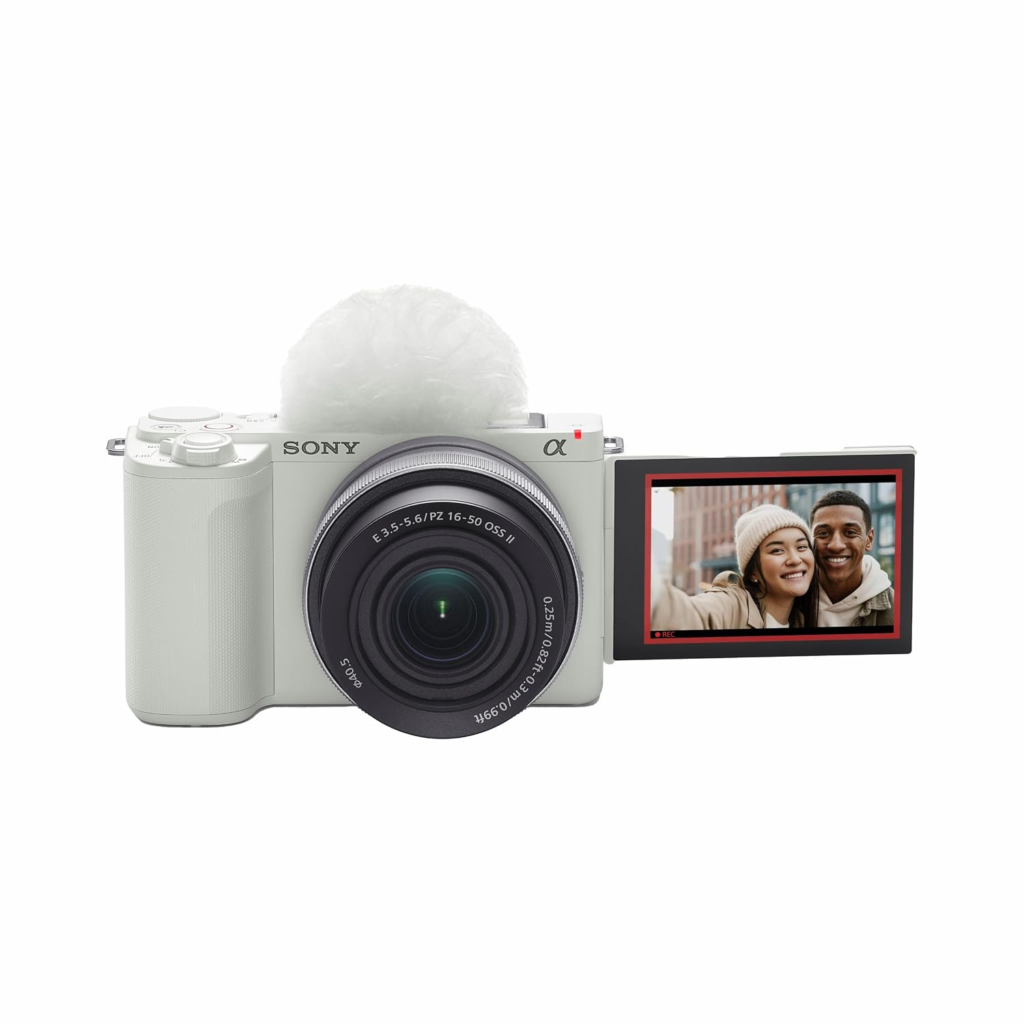
The Sony ZV-E10 II is one of the most appealing cameras for creators who want a dedicated YouTube setup with interchangeable lenses and external audio.
It combines an APS-C sensor with strong autofocus, creator-focused controls and a fully articulating screen.
Its microphone input allows you to connect an external microphone instead of relying solely on the built-in microphones.
Key Features
- APS-C sensor
- 4K video recording
- Up to 4K 60p recording
- Fully articulating screen
- External microphone input
- Headphone monitoring
- Excellent face and eye autofocus
- Interchangeable Sony E-mount lenses
- Compact body
- Creator-focused controls
Best For
- YouTube talking-head videos
- Product reviews
- Tutorials
- Vlogging
- Educational videos
- Beauty channels
- Travel content
Pros
- Excellent autofocus
- High-quality 4K video
- External microphone connectivity
- Headphone monitoring
- Fully articulating screen
- Large lens ecosystem
- Compact for an interchangeable-lens camera
Cons
- Higher price than entry-level cameras
- Lens cost can increase the total setup budget
- No built-in electronic viewfinder
Verdict
If you’re building a YouTube channel seriously and want a camera you can continue using as your production requirements grow, the ZV-E10 II is a particularly strong option.
2. Canon EOS R50 V — Best Canon Camera for YouTube Creators
⭐ Rating: 4.7/5
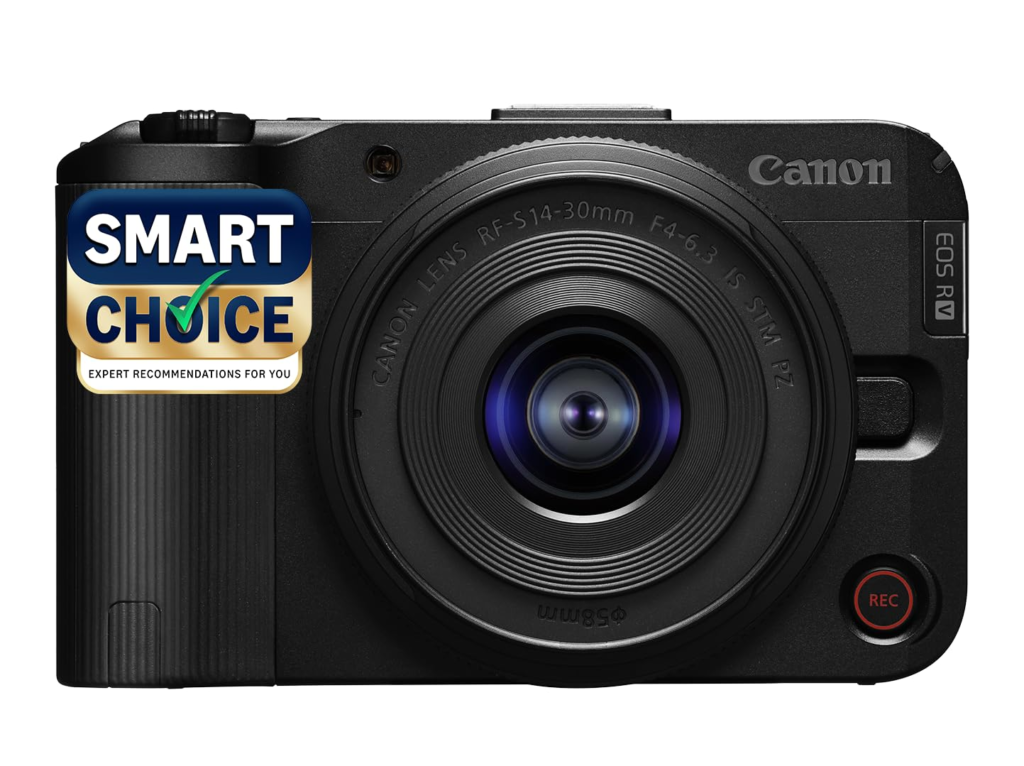
The Canon EOS R50 V is designed with video creators in mind.
Compared with a conventional entry-level camera, the R50 V places greater emphasis on video controls and creator workflows.
Its external microphone support gives YouTube creators the flexibility to upgrade their audio without replacing the camera.
Key Features
- APS-C sensor
- 4K video
- Fully articulating display
- External microphone input
- Video-oriented controls
- Canon autofocus
- Interchangeable RF-mount lenses
- Compact design
Best For
YouTubers, product reviewers, educators, vloggers and vertical-video creators.
Pros
- Video-focused design
- External microphone support
- Good autofocus
- Flip screen
- Interchangeable lenses
- Beginner-friendly controls
Cons
- More expensive than the basic EOS R50
- Less suitable if photography is your main priority
- RF lens selection is smaller than Sony’s E-mount ecosystem
Verdict
The EOS R50 V is worth considering if you’re primarily interested in video and prefer Canon’s colour science, autofocus and camera interface.
3. Canon EOS R50 — Best Beginner YouTube Camera With Mic Input
⭐ Rating: 4.7/5
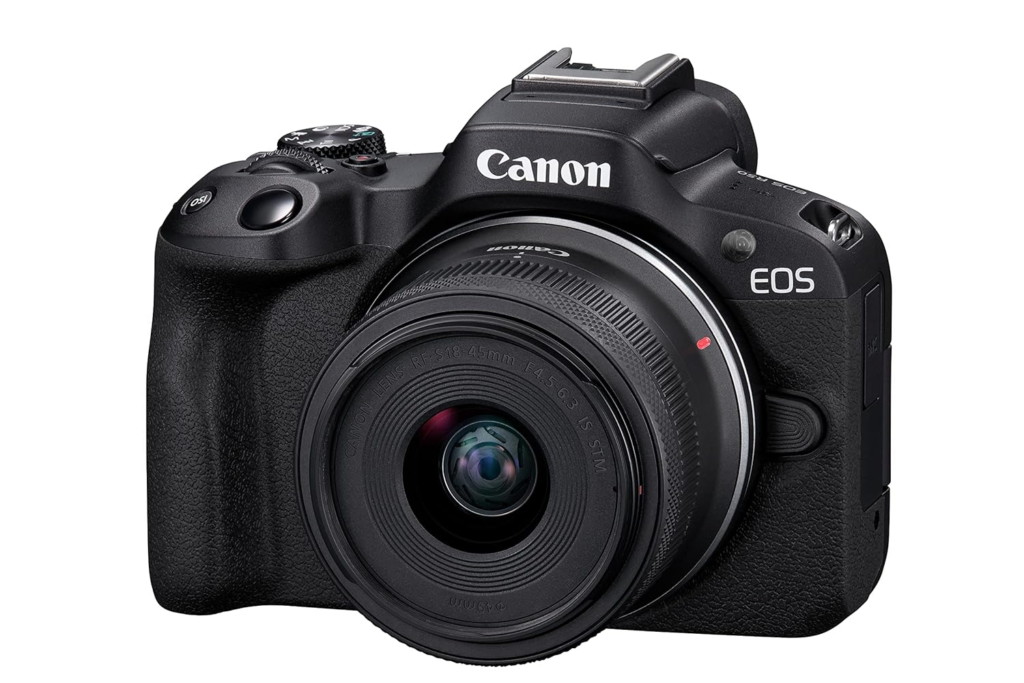
The Canon EOS R50 is an excellent option for beginners moving from smartphone video to a dedicated camera.
Its fully articulating display makes solo recording easy, while its microphone input lets you improve sound quality as your channel develops.
Why Beginners Like It
You get:
- 24.2MP APS-C sensor
- 4K video
- Dual Pixel autofocus
- Fully articulating touchscreen
- External microphone input
- Built-in electronic viewfinder
- Interchangeable lenses
Best For
- Beginner YouTubers
- Talking-head videos
- Tutorials
- Product reviews
- Educational channels
- Family and travel content
Pros
- Easy to use
- Excellent autofocus
- Compact body
- Good video quality
- Flip-out screen
- External microphone support
- Useful for both photography and video
Cons
- Kit lens isn’t ideal for every indoor environment
- Battery life is average
- Video-focused users may prefer the R50 V
Verdict
If you’re buying your first interchangeable-lens camera for YouTube, the EOS R50 provides a good balance between simplicity, video quality and upgrade potential.
4. Sony ZV-E10 — Best Budget Sony YouTube Camera
⭐ Rating: 4.5/5
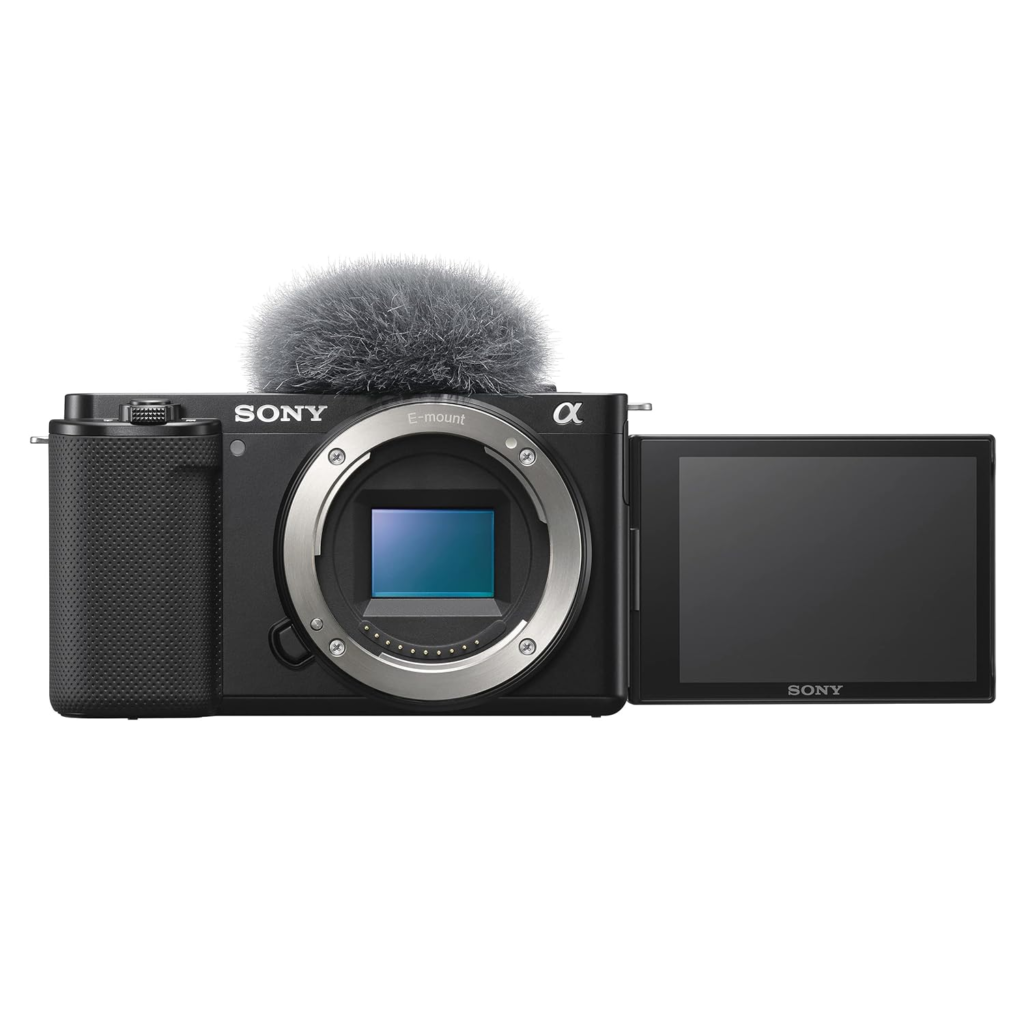
The original Sony ZV-E10 remains a useful option for creators who find it at a significant discount.
It was designed specifically for content creators, with a flip-out display, creator-friendly controls and a microphone input.
The camera’s Sony E-mount also gives you access to a huge selection of lenses.
Best For
- Beginner YouTubers
- Vloggers
- Product reviewers
- Talking-head creators
- Budget-conscious creators
Pros
- APS-C sensor
- 4K recording
- External microphone input
- Fully articulating screen
- Excellent autofocus
- Large lens ecosystem
- Lightweight
Cons
- Older generation
- No built-in viewfinder
- Less advanced video capabilities than the ZV-E10 II
- Electronic stabilization isn’t equivalent to a gimbal
Verdict
The ZV-E10 can still make sense when its discounted price is substantially below the ZV-E10 II.
5. Fujifilm X-S20 — Excellent Hybrid Camera for YouTube
⭐ Rating: 4.7/5
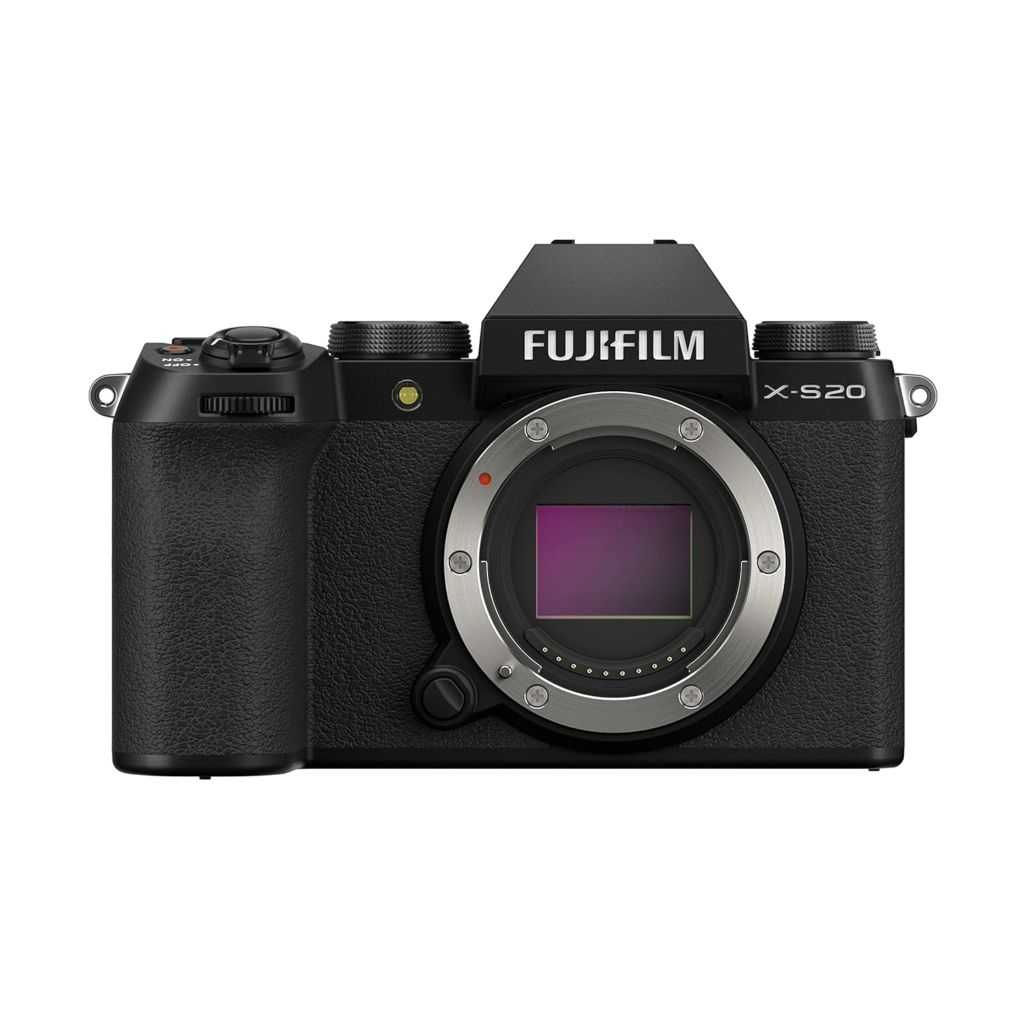
The Fujifilm X-S20 is an excellent choice for creators who want a camera that works equally well for photographs and video.
Its APS-C sensor, in-body image stabilization and fully articulating display make it particularly useful for creators who don’t want a camera dedicated solely to YouTube.
Key Features
- APS-C sensor
- 6.2K video
- 4K video
- In-body image stabilization
- Fully articulating display
- External microphone input
- Headphone connectivity
- Fujifilm film simulations
- Interchangeable lenses
Best For
Travel creators, lifestyle YouTubers, photographers and hybrid creators.
Pros
- Excellent image quality
- Strong stabilization
- Good battery life
- 6.2K recording
- External microphone support
- Excellent still photography
Cons
- More expensive than entry-level creator cameras
- Autofocus isn’t as consistently reliable as the best Sony/Canon options
- Lens and accessories increase the total cost
Verdict
The X-S20 is particularly attractive if YouTube is only one part of your content workflow.
6. Panasonic Lumix GH7 — Best Professional YouTube Camera
⭐ Rating: 4.8/5
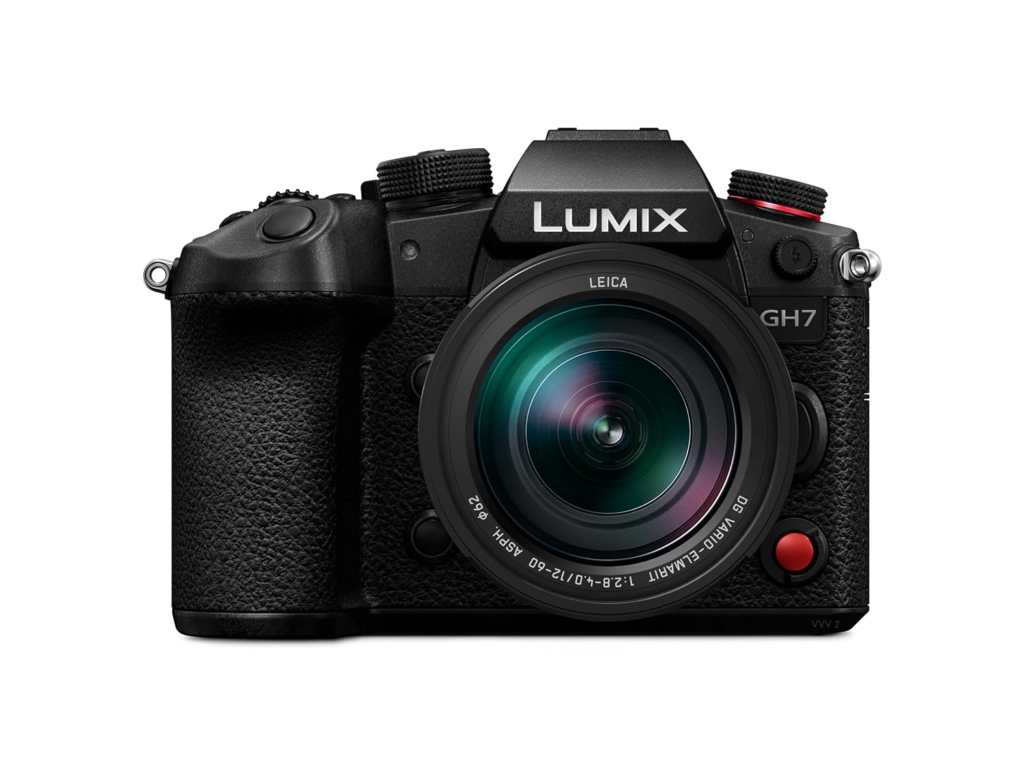
The Panasonic Lumix GH7 is designed for creators who want extensive video controls and professional recording capabilities.
Rather than being a simple beginner vlogging camera, the GH7 is a more advanced production tool.
It offers extensive external-audio options and professional video features.
Best For
- Professional YouTube channels
- Interviews
- Studio productions
- Documentary-style content
- Commercial video
- Cinematic YouTube channels
Pros
- Excellent video features
- High-resolution recording
- Professional audio options
- Strong stabilization
- Excellent codecs
- Articulating display
- Large Micro Four Thirds lens ecosystem
Cons
- More expensive
- More complicated for beginners
- Larger setup
- Smaller sensor than APS-C/full-frame alternatives
Verdict
Choose the GH7 if you need advanced video controls rather than simply a convenient camera for recording YouTube videos.
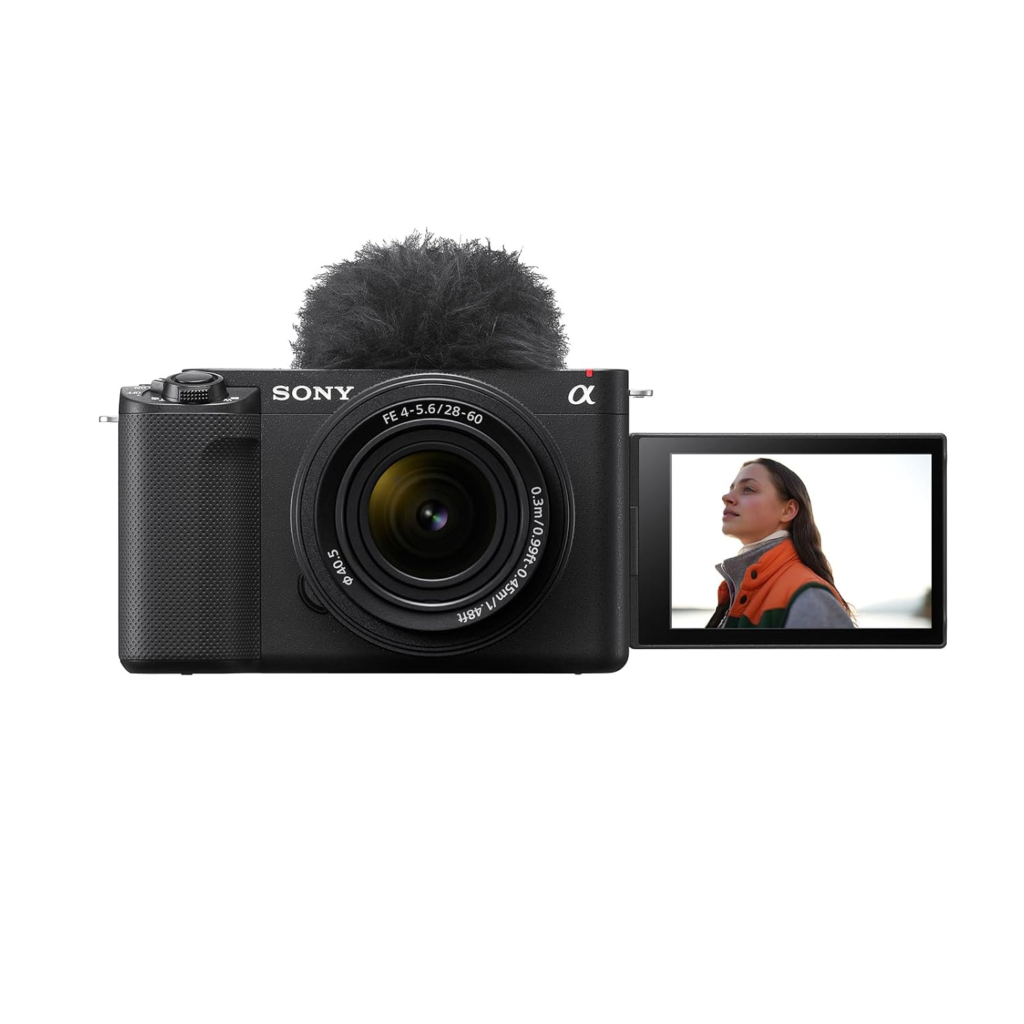
7. Sony ZV-E1 — Best Full-Frame YouTube Camera With External Mic Support
⭐ Rating: 4.8/5
The Sony ZV-E1 is aimed at creators who want a professional full-frame video camera in a relatively compact body.
Its full-frame sensor is particularly useful for creators who frequently shoot indoors or in low-light environments.
Key Features
- Full-frame sensor
- 4K video
- Excellent autofocus
- AI-based subject recognition
- In-body stabilization
- Fully articulating screen
- External microphone support
- Headphone monitoring
- Sony E-mount lenses
Best For
- Professional YouTubers
- Cinematic content
- Product videos
- Commercial creators
- Low-light shooting
Pros
- Excellent low-light performance
- Strong autofocus
- Compact full-frame body
- Excellent stabilization
- External microphone connectivity
- Professional video quality
Cons
- Expensive
- Full-frame lenses can be costly
- Overkill for beginners
Verdict
The ZV-E1 makes the most sense for creators who already understand video production and want to move into a full-frame setup.
What Type of External Microphone Should You Use?
Buying a camera with a microphone input is only the beginning.
The right microphone depends on how you create content.
Shotgun Microphone
A shotgun microphone mounted on the camera is useful for:
- Talking-head videos
- Product reviews
- Tutorials
- Indoor filming
- Interviews
It provides directional pickup while keeping your setup relatively simple.
Wireless Microphone
A wireless microphone is particularly useful for:
- Vlogging
- Walking videos
- Interviews
- Presentations
- Fitness videos
- Outdoor content
The microphone can stay close to your mouth while the camera remains several feet away.
Lavalier Microphone
A lavalier microphone clips onto clothing and is particularly useful for:
- Educational videos
- Presentations
- Interviews
- Talking-head content
USB Microphone
USB microphones are excellent for computer-based recording and podcasting, but they aren’t always the simplest choice for direct camera recording.
Before purchasing one, make sure your camera actually supports the required connection.
3.5mm Mic Input vs Digital Audio
Not every external microphone connection works the same way.
3.5mm Microphone Input
This is common on creator-oriented cameras and works with many shotgun and wireless microphone systems.
Digital Audio
Some newer cameras and accessories support digital audio through compatible hot-shoe or proprietary interfaces.
Digital audio can provide a cleaner connection and reduce the need for additional cables, but compatibility must be checked carefully.
Headphone Output
If possible, choose a camera that also offers a headphone output.
A headphone jack allows you to monitor your audio while recording.
This can help identify:
- Cable problems
- Background noise
- Distortion
- Low microphone levels
- Wireless interference
Best Cameras for YouTube With External Mic by Budget
| Budget | Camera | Best For |
|---|---|---|
| ₹50,000–₹70,000 | Sony ZV-E10 | Budget creators |
| ₹60,000–₹70,000 | Canon EOS R50 | Beginners |
| ₹70,000–₹80,000 | Canon EOS R50 V | Video creators |
| ₹80,000–₹1.05 lakh | Sony ZV-E10 II | Serious YouTubers |
| ₹1 lakh+ | Fujifilm X-S20 | Hybrid creators |
| ₹1.5 lakh+ | Panasonic GH7 | Professional video |
| ₹1.8 lakh+ | Sony ZV-E1 | Premium creators |
These are approximate market ranges. Camera prices can change substantially depending on lens bundles, sales and availability.
Best External-Mic Camera for Talking-Head Videos
If your channel consists mainly of sitting in front of the camera, look for:
- Reliable autofocus
- Flip screen
- External microphone input
- Headphone monitoring
- Good indoor image quality
- Easy tripod mounting
The Sony ZV-E10 II, Canon EOS R50 and Canon EOS R50 V are particularly suitable configurations for this style.
A good microphone placed close to you can make a larger difference than upgrading to a more expensive camera body.
Best Camera for YouTube Product Reviews
Product reviewers need to show both themselves and the products they’re discussing.
A camera should therefore offer:
- Reliable autofocus
- Product tracking
- External microphone support
- Flip screen
- Good close-focus capability
- 4K video
- Interchangeable lenses
The Sony ZV-E10 II and Canon EOS R50 V are strong candidates for this workflow.
A macro or close-focus-capable lens can also be useful for showing small product details.
Best Camera for YouTube Vlogging
For travel and outdoor content, stabilization becomes more important.
Consider:
Sony ZV-E10 II
Best if you want interchangeable lenses and greater control.
Fujifilm X-S20
Useful when you want strong in-body stabilization and photography capabilities.
Sony ZV-E1
Suitable for professional creators who want full-frame video.
If you’re frequently walking while talking to the camera, combine the camera with a wireless microphone and suitable stabilization.
How Much Should You Spend on Audio?
Don’t spend your entire YouTube budget on the camera.
For example, instead of buying a ₹1.5 lakh camera body and using its built-in microphone, you might get better practical results by balancing your budget between:
- Camera
- Lens
- Microphone
- Lighting
- Tripod
- Memory card
- Extra battery
A simple production setup could be:
Camera + kit lens + wireless microphone + LED light + tripod
This is enough to create polished videos without building a complicated studio.
Camera Features That Matter Most for YouTube
Autofocus
Face and eye detection are extremely useful when recording yourself.
4K Recording
4K gives you additional detail and cropping flexibility during editing.
Flip Screen
A fully articulating screen allows you to monitor yourself while recording.
Microphone Input
This is essential if you want to upgrade your audio.
Headphone Output
Useful for monitoring sound during recording.
Stabilization
Important for handheld and walking videos.
Lens Selection
Interchangeable lenses allow your setup to grow with your channel.
Battery Life
Longer battery life means fewer interruptions while filming.
Common Mistakes When Buying a YouTube Camera
Choosing Based Only on 4K
Almost every modern creator camera advertises 4K. Look beyond resolution.
Ignoring Audio
A good external microphone can dramatically improve perceived production quality.
Buying Too Much Camera
Professional cameras can be unnecessarily complicated for a beginner.
Forgetting the Lens
Your lens has a major impact on the final image.
Not Checking Mic Compatibility
Before buying a microphone, check whether it uses:
- 3.5mm TRS
- 3.5mm TRRS
- USB
- Digital camera connection
- Wireless receiver
The connector and camera compatibility matter.
Frequently Asked Questions
What is the best camera for YouTube with an external microphone?
The Sony ZV-E10 II is one of the strongest all-around choices because it combines an APS-C sensor, excellent autofocus, 4K video, a flip screen and external microphone support.
Do I need an external microphone for YouTube?
You don’t absolutely need one, but an external microphone can significantly improve dialogue clarity and give you more control over recording conditions.
Which Canon camera is best for YouTube?
The Canon EOS R50 is a strong beginner option, while the EOS R50 V is more focused on video creators.
Does Sony ZV-E10 support an external microphone?
Yes. The Sony ZV-E10 includes an external microphone input and is designed with content creators in mind.
Does Sony ZV-E10 II have a microphone input?
Yes. The ZV-E10 II supports external microphone recording and provides creator-focused audio options.
Is an external microphone better than a camera’s built-in microphone?
In many recording situations, yes. A microphone positioned closer to the speaker can capture clearer and more consistent dialogue than a microphone built into the camera body.
Is a wireless microphone good for YouTube?
Yes. Wireless microphones are particularly useful for vlogging, interviews, presentations and videos where the subject moves away from the camera.
Should I buy a camera with a headphone jack?
If you regularly record professional or important videos, headphone monitoring can be very useful because it lets you identify audio problems while recording.
Is 4K necessary for YouTube?
No. You can publish excellent 1080p YouTube videos. However, 4K provides additional detail and flexibility for cropping and editing.
Final Verdict
The best YouTube camera with external microphone support depends on your content style and budget.
🎥 Best Overall: Sony ZV-E10 II — ⭐ 4.8/5
A strong all-around option for creators who want excellent autofocus, interchangeable lenses, 4K video and flexible external audio.
🎬 Best Canon for Video: Canon EOS R50 V — ⭐ 4.7/5
A video-oriented option for creators who prefer the Canon ecosystem.
💰 Best Beginner Choice: Canon EOS R50 — ⭐ 4.7/5
A straightforward option for first-time camera buyers who want both photography and YouTube capability.
💵 Best Budget Sony: Sony ZV-E10 — ⭐ 4.5/5
Worth considering when discounted.
📸 Best Hybrid Camera: Fujifilm X-S20 — ⭐ 4.7/5
A strong choice for creators who shoot both photographs and video.
🎞️ Best Professional Video Camera: Panasonic Lumix GH7 — ⭐ 4.8/5
Designed for creators who need advanced recording and audio capabilities.
🌙 Best Premium Full-Frame Option: Sony ZV-E1 — ⭐ 4.8/5
A high-end choice for professional creators who want full-frame video.
Ultimately, don’t choose a YouTube camera based solely on its video resolution. A camera with reliable autofocus, a suitable lens, external microphone support, good lighting and a practical workflow can produce much better real-world content than a technically impressive camera that is difficult to use.
For most new creators, a sensible starting point is a camera with a flip screen, reliable autofocus, 4K recording and a microphone input, paired with a good external microphone. That combination gives you a solid foundation without unnecessarily increasing your production costs.
With External Microphone Support Upto 45% OFF
With External Microphone Support upto 30% OFF