
Starting a YouTube channel doesn’t mean you need to spend ₹50,000 or ₹1 lakh on a camera. If your budget is around ₹20,000, you can build a capable setup for vlogs, talking-head videos, tutorials, product reviews, travel content, and YouTube Shorts.
The key is knowing where to spend your money. At this price point, a good smartphone, action camera, compact camera, or entry-level webcam can sometimes make more sense than buying an older dedicated camera simply because it has a larger lens.
In this post, we’ll look at the best camera options and camera types for YouTube videos under ₹20,000 in India, what features actually matter, and how to build a complete beginner-friendly setup without wasting your budget.
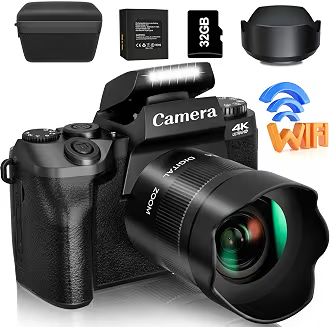
Quick Overview
| Camera Type | Best For | Typical Budget |
|---|---|---|
| Smartphone | Talking-head videos, Shorts, everyday content | ₹10,000–₹20,000 |
| Action camera | Travel, outdoor videos, POV footage | ₹12,000–₹20,000 |
| Compact camera | Vlogging and travel | ₹15,000–₹20,000 |
| Used mirrorless/DSLR | Learning interchangeable-lens photography and video | ₹15,000–₹20,000 |
| Webcam | Desk-based YouTube, tutorials and gaming | ₹3,000–₹10,000 |
Prices and availability can change frequently in India, especially for older camera models and used equipment.
What Should You Expect From a ₹20,000 YouTube Camera?
A ₹20,000 budget is enough to get started, but expectations should be realistic.
You may find cameras offering Full HD or 4K recording, electronic stabilization, autofocus, flip displays, external microphone compatibility, or compact designs. However, finding all these features together at this price can be difficult.
For YouTube, prioritize the features that affect your final video the most:
1. Good Video Quality
Look for at least 1080p recording at 30fps. If 4K is available, it can provide additional flexibility for cropping and reframing, but 4K alone doesn’t guarantee better-looking footage.
2. Autofocus
Reliable autofocus is particularly important for beginners.
If you’re filming yourself, the camera should be able to keep your face reasonably sharp as you move or hold products close to the lens.
3. Stabilization
Electronic or optical stabilization can make handheld footage considerably easier to watch.
This is especially useful for:
- Walking vlogs
- Travel videos
- Outdoor content
- Product demonstrations
- YouTube Shorts
4. Flip or Tilting Screen
A front-facing or tilting display makes recording yourself much easier because you can check framing before pressing record.
5. Microphone Support
Don’t overlook audio.
A camera with an external microphone input can be more useful for YouTube than a camera with slightly better video specifications but poor audio options.
6. Battery Life
Long recording sessions can quickly drain a small camera battery. Check whether spare batteries, USB charging, or continuous power are supported.
Best Camera Types for YouTube Under ₹20,000
Rather than looking for one camera that is perfect for every creator, choose the type that matches your content.
1. Smartphone — The Most Practical Choice for Many Beginners
If you already own a reasonably modern smartphone, you may not need to buy a separate camera.
Modern phones can produce surprisingly good YouTube footage, particularly in daylight. They are also convenient because editing and uploading can happen directly on the same device.
Best for:
- Beginners
- YouTube Shorts
- Instagram Reels
- Talking-head videos
- Product videos
- Casual vlogging
- Indoor tutorials
Advantages
- Easy to use
- Excellent portability
- Multiple cameras
- Simple editing workflow
- Usually good autofocus
- No additional memory card required in many cases
Limitations
Smartphone video can suffer in low light, and the small sensor generally provides less natural background separation than larger dedicated cameras.
Tip: If your phone is already capable of recording good 1080p or 4K video, consider spending part of your ₹20,000 budget on a microphone, tripod and light instead of replacing the phone.
2. Action Camera — Great for Travel and Outdoor YouTube
An action camera can be an excellent choice if your channel revolves around travel, cycling, biking, hiking or outdoor activities.
Its small size allows you to mount it on helmets, bikes, tripods, cars and other equipment.
Best for:
- Travel vlogs
- Bike rides
- Adventure videos
- Walking tours
- POV footage
- Outdoor Shorts
Why Choose an Action Camera?
The major advantage is stabilization and portability.
You can move around while recording without carrying a large camera setup.
Many action cameras also provide wide-angle footage, which works well for POV content.
Things to Check
Before buying, look for:
- Electronic stabilization
- 4K recording
- Battery availability
- Waterproofing
- External microphone options
- Mounting accessories
- Low-light performance
A very inexpensive action camera may advertise 4K but produce noticeably weaker footage than a good smartphone. Don’t choose based on the resolution number alone.
3. Compact Digital Camera — A Simple Dedicated Camera
Compact cameras can still make sense for creators who prefer a dedicated device.
They are generally easier to carry than DSLRs or mirrorless cameras and may provide optical zoom that smartphones don’t offer at the same price.
Best for:
- Travel videos
- Family content
- Basic vlogging
- Zoomed-in shots
- Everyday YouTube videos
Benefits
- Dedicated camera controls
- Optical zoom on many models
- Compact design
- Easy to carry
- Better ergonomics than holding a phone for long recordings
What to Watch For
Older compact cameras can have outdated autofocus, limited microphone options or poor low-light performance.
If buying an older model, check the video specifications rather than assuming a dedicated camera automatically produces better YouTube footage.
4. Used Mirrorless or DSLR — Worth Considering at ₹20,000
If you’re comfortable buying used equipment, your budget opens up another possibility: an older mirrorless camera or DSLR.
A used interchangeable-lens camera can give you access to larger sensors and a wide selection of lenses.
However, the camera body isn’t the only expense.
You may also need:
- Lens
- Battery
- Memory card
- Tripod
- Microphone
- Camera bag
So don’t spend the entire ₹20,000 on the body.
Before Buying Used
Check:
- Sensor condition
- Lens condition
- Autofocus
- Battery health
- LCD/display
- Ports
- Buttons and dials
- Recording functionality
- Shutter count where applicable
- Signs of water or physical damage
Whenever possible, test the camera before paying.
5. Webcam — Best for Desk-Based YouTube Channels
If you create tutorials, software demonstrations, online courses, gaming content or commentary videos from a desk, a webcam may be sufficient.
A good webcam combined with proper lighting can produce a much better result than an expensive camera placed in a dark room.
Best for:
- Gaming
- Tutorials
- Online teaching
- Screen-recording channels
- Commentary
- Live streaming
For this type of content, prioritize:
- 1080p video
- Autofocus
- Good low-light performance
- USB connectivity
- Built-in microphone as a backup
- Mounting flexibility
Best Camera Setup Under ₹20,000
Instead of spending the entire budget on the camera, consider the complete production setup.
Example Budget
| Equipment | Approx. Budget |
|---|---|
| Camera or capable smartphone | ₹12,000–₹15,000 |
| Tripod | ₹800–₹1,500 |
| Microphone | ₹1,500–₹2,500 |
| LED light | ₹1,000–₹1,500 |
| Memory card/accessories | ₹500–₹1,000 |
| Total | Around ₹16,000–₹21,500 |
You can adjust these amounts depending on what equipment you already own.
For example, if you already have a smartphone and tripod, putting more money into a microphone and lighting can produce a noticeable improvement.
Best Camera Setup for Different YouTube Channels
| YouTube Content | Camera Type to Consider | Important Feature |
|---|---|---|
| Vlogging | Smartphone/action camera | Stabilization |
| Talking head | Smartphone/compact camera | Autofocus |
| Product reviews | Smartphone/compact camera | Close focusing |
| Travel | Action camera/smartphone | Portability |
| Gaming | Webcam | 1080p + low-light quality |
| Tutorials | Webcam/smartphone | Clear image |
| Shorts | Smartphone/action camera | Vertical recording |
| Outdoor videos | Action camera | Stabilization |
| Educational videos | Smartphone/webcam | Audio quality |
Smartphone vs Camera Under ₹20,000
This is one of the most important decisions for a beginner.
| Feature | Smartphone | Budget Dedicated Camera |
|---|---|---|
| Portability | Excellent | Good |
| Autofocus | Usually good | Model dependent |
| Stabilization | Often good | Model dependent |
| Editing | Very convenient | Requires transfer |
| Lens options | Limited | Possible with interchangeable cameras |
| Low light | Model dependent | Sensor dependent |
| Audio | Basic to good | Model dependent |
| Ease of use | Excellent | Moderate |
| Vlogging | Excellent | Good |
| Long-term upgrade path | Limited | Better with interchangeable lenses |
For many first-time YouTubers, the smartphone is the simplest way to start producing videos immediately.
Is 4K Necessary for YouTube?
Not necessarily.
1080p Full HD is still perfectly usable for many YouTube channels.
4K can be helpful when you want to:
- Crop footage
- Reframe shots
- Create multiple compositions
- Preserve more detail
- Produce higher-resolution videos
But don’t sacrifice autofocus, stabilization, audio or lighting simply to get a camera advertised with 4K.
A well-lit 1080p video with clean audio can be more useful than poorly lit 4K footage.
Don’t Ignore Audio
One of the easiest ways to improve a beginner YouTube setup is to improve the microphone.
Viewers may tolerate average video quality, but distracting background noise, echo and unclear speech can make a video difficult to watch.
For talking-head videos, consider a basic:
- Lavalier microphone
- Wired microphone
- Wireless microphone
- USB microphone for desk setups
If your camera doesn’t support an external microphone, you can record audio separately and synchronize it during editing.
Lighting Can Make a Cheap Camera Look Better
Before upgrading your camera, look at your lighting.
A basic LED light positioned slightly above and to the side of your face can dramatically improve a talking-head setup.
You can also use:
- Window light
- Softboxes
- LED panels
- Ring lights
- Reflectors
Avoid placing a bright window directly behind you unless you’re intentionally creating a backlit shot.
Recommended Accessories Under ₹20,000
You don’t need every accessory available. Start with the essentials.
Essential
- Small tripod
- Memory card
- External microphone
- LED light
- Extra battery or power solution
Useful Later
- Camera cage
- Wireless microphone
- Gimbal
- Extra lighting
- ND filters
- External monitor
Spend on accessories only when they solve a specific problem in your workflow.
Common Mistakes When Buying a YouTube Camera
Choosing 4K Over Everything Else
A 4K label shouldn’t automatically decide your purchase.
Ignoring the Microphone
Poor audio can reduce the perceived quality of an otherwise good video.
Buying an Old Camera Without Checking Video Features
Older cameras can have excellent photography capabilities but limited video features.
Spending ₹20,000 on the Camera Alone
A complete setup often produces better results than putting the entire budget into the camera body.
Forgetting Vertical Video
If you plan to create Shorts, check how easily the camera can be used vertically.
Buying Based Only on Megapixels
Video quality depends on much more than megapixel count.
How to Choose the Right Camera Under ₹20,000
Use this simple decision process:
Choose a smartphone if:
You want the easiest setup and already own a capable phone.
Choose an action camera if:
Your channel involves travel, cycling, outdoor activities or POV footage.
Choose a compact camera if:
You want a dedicated camera with simple controls and potentially useful optical zoom.
Choose a used mirrorless/DSLR if:
You want interchangeable lenses and are comfortable checking second-hand equipment carefully.
Choose a webcam if:
Most of your videos are recorded at a desk.
YouTube Camera Buying Checklist
Before purchasing, check these points:
- 1080p or 4K video
- Reliable autofocus
- Stabilization
- Flip/tilting screen if needed
- External microphone support
- Good battery life
- Easy file transfer
- Suitable lens or field of view
- Memory card support
- Spare battery availability
- Warranty or return policy
- Current price within budget
Frequently Asked Questions
Which is the best camera for YouTube videos under ₹20,000 in India?
There isn’t one camera type that suits every YouTube channel. A smartphone is convenient for beginners, an action camera suits outdoor creators, a webcam works well for desk-based content, and a used interchangeable-lens camera can be considered by creators who want more control over lenses.
Can I start a YouTube channel with a ₹20,000 camera?
Yes. You can create YouTube videos with a setup costing ₹20,000 or less. Your lighting, audio, framing and content quality can matter as much as the camera itself.
Is a DSLR good for YouTube?
A DSLR can work well for YouTube, particularly if you buy a suitable used model with a good lens. However, autofocus, microphone support, recording limitations and overall condition should be checked before buying.
Is 4K better than 1080p for YouTube?
4K provides more resolution and gives you additional cropping flexibility, but 1080p is sufficient for many creators. Consider the entire camera system rather than choosing solely based on resolution.
Should I buy a camera or smartphone for YouTube?
If you already own a capable smartphone, using it initially can be a practical approach. A dedicated camera becomes more attractive when you need specific features such as interchangeable lenses, optical zoom, improved ergonomics or specialized stabilization.
How much should I spend on a YouTube microphone?
You don’t necessarily need an expensive microphone. A basic lavalier or entry-level microphone can be a useful upgrade, particularly for talking-head and tutorial videos.
Final Thoughts
Finding the best camera for YouTube videos under ₹20,000 in India is less about finding the camera with the biggest specification sheet and more about choosing equipment that matches your content.
For beginners, a capable smartphone can be an excellent starting point. Action cameras make sense for outdoor and travel creators, webcams suit desk-based channels, while carefully selected used cameras can provide a path toward interchangeable-lens shooting.
Whatever you choose, don’t overlook audio, lighting, stabilization and framing. A balanced ₹20,000 setup can be more useful for a new YouTuber than spending the entire budget on a camera body.
The best time to start your YouTube channel is usually not when you own perfect equipment—it’s when you have a camera that lets you consistently create and publish.
Best YouTube camera Upto 65% OFF