
Choosing a wireless security camera is easier than ever, but deciding how your recordings should be stored can be confusing. Many homeowners focus on video quality, night vision, or motion detection while overlooking one of the most important features—video storage.
Modern wireless security camera systems generally offer two storage options:
- Cloud Storage
- Local Storage
Both have their own advantages, limitations, and costs. The right choice depends on your budget, internet connection, privacy concerns, and how you plan to use your security system.
This post compares cloud storage and local storage in detail so you can confidently choose the best option for your home or office.
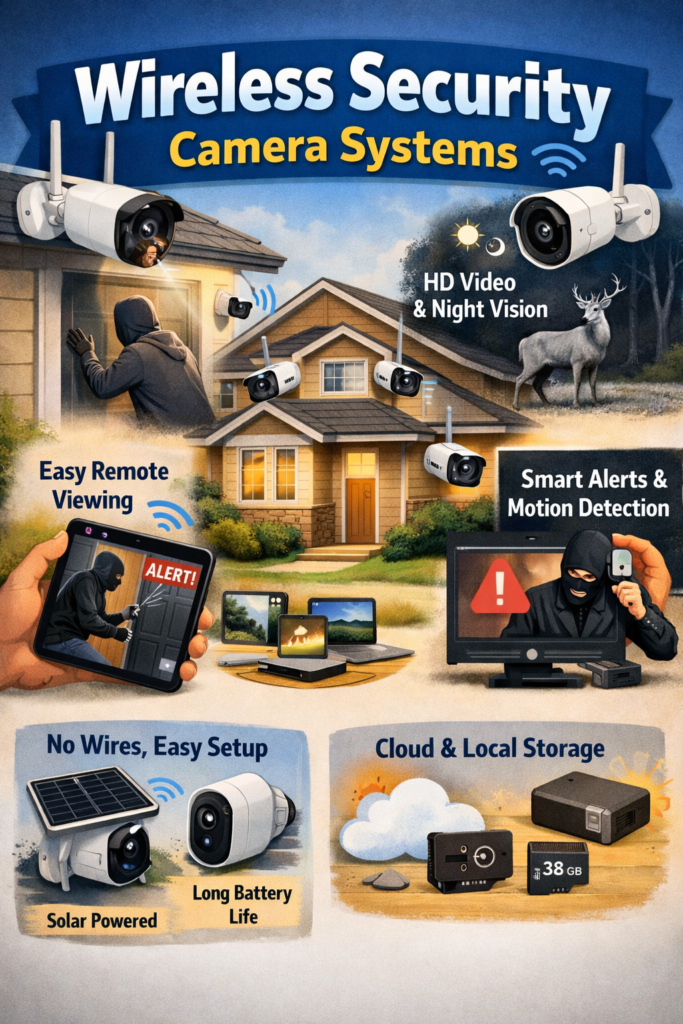
What Is Cloud Storage?
Cloud storage automatically uploads recorded videos to secure online servers through your internet connection.
Instead of saving footage inside the camera, recordings are stored remotely and can be accessed anytime using a smartphone or computer.
Popular brands offering cloud storage include:
- Google Nest
- Arlo
- Ring
- TP-Link Tapo
- Eufy (optional cloud plans)
What Is Local Storage?
Local storage saves videos directly on physical devices such as:
- microSD cards
- Network Video Recorders (NVR)
- Hard drives
- USB storage
- NAS (Network Attached Storage)
Your recordings stay within your own network without requiring monthly subscriptions.
Cloud Storage vs Local Storage at a Glance
| Feature | Cloud Storage | Local Storage |
|---|---|---|
| Monthly Fees | Usually Yes | No |
| Internet Required | Yes | Mostly No |
| Remote Playback | Excellent | Good |
| Data Ownership | Company Servers | User |
| Storage Capacity | Subscription Based | Depends on Card/HDD |
| Theft Protection | Excellent | Limited |
| Privacy | Depends on Provider | Better Control |
| Installation | Easy | Slightly Technical |
| Long-Term Cost | Higher | Lower |
Advantages of Cloud Storage
1. Access Your Videos Anywhere
Cloud recordings can be viewed from anywhere in the world.
Whether you’re at work or traveling abroad, you only need the camera app and internet connection.
2. Protection Against Theft
Suppose someone steals your camera.
With cloud storage, your footage has already been uploaded online, making it difficult for intruders to destroy the evidence.
This is one of the biggest advantages over SD card storage.
3. Automatic Backups
Cloud systems continuously back up recordings.
Even if:
- Camera fails
- SD card becomes corrupt
- Power outage occurs
your important videos usually remain safe.
4. AI Features
Many premium cloud plans include:
- Person Detection
- Vehicle Detection
- Pet Detection
- Package Detection
- Face Recognition
- Smart Alerts
These advanced features improve security while reducing false alarms.
5. Easy Device Management
Managing multiple cameras becomes simpler because all recordings are centralized in one app.
Perfect for:
- Large homes
- Businesses
- Shops
- Warehouses
Disadvantages of Cloud Storage
Monthly Subscription Costs
Most providers charge recurring fees.
Typical pricing:
- ₹150–₹500/month (India)
- $3–15/month internationally
Over several years, these costs can exceed the price of the camera itself.
Internet Dependency
Cloud recording requires:
- Stable Wi-Fi
- Good upload speeds
Poor internet may result in:
- Missed recordings
- Delayed uploads
- Reduced video quality
Privacy Concerns
Although providers encrypt data, some users prefer not to store personal footage on third-party servers.
Sensitive recordings remain outside your direct control.
Limited Free Storage
Many brands offer:
- 24 hours
- 3 days
- 7 days
of free storage before requiring a subscription.
Advantages of Local Storage
No Monthly Fees
Once you purchase:
- SD card
- NVR
- Hard drive
there are usually no recurring costs.
This makes local storage much more affordable over time.
Better Privacy
Your recordings remain inside your own network.
Nobody else stores your video unless you manually back it up.
This appeals to users concerned about data privacy.
Works Without Internet
Many cameras continue recording locally even when the internet goes down.
This is especially useful in areas with unreliable broadband.
Faster Playback
Videos stored locally often load faster because they don’t need downloading from remote servers.
Expandable Storage
NVR systems can support:
- 1TB
- 2TB
- 4TB
- 8TB
- Even larger storage drives
making them ideal for continuous recording.
Disadvantages of Local Storage
Risk of Theft
If a burglar steals:
- Camera
- SD card
- Recorder
your evidence could disappear.
Hardware Failure
Storage devices eventually wear out.
Possible failures include:
- Corrupted SD cards
- Hard drive crashes
- Power surges
Regular backups are recommended.
Limited Storage
A 128GB SD card may only store:
- Several days
- One to two weeks
depending on recording quality and motion activity.
Older footage gets overwritten automatically.
Slightly More Complex Setup
NVR systems require:
- Network configuration
- Hard drive installation
- Storage management
Although modern systems have become much easier to install.
Cost Comparison
| Expense | Cloud Storage | Local Storage |
|---|---|---|
| Initial Cost | Low | Moderate |
| Monthly Fee | Yes | None |
| Five-Year Cost | High | Lower |
| Maintenance | Minimal | Storage Replacement |
For homeowners planning long-term use, local storage often offers better overall value.
Which Storage Is More Secure?
Cloud Storage
Pros:
- Encrypted servers
- Automatic backup
- Off-site protection
Cons:
- Depends on provider security
- Requires strong account passwords
Local Storage
Pros:
- Complete ownership
- Better privacy
- No third-party access
Cons:
- Vulnerable to theft
- Hardware damage
- Fire or flood
Which Is Better for Different Users?
Choose Cloud Storage If You:
- Travel frequently
- Want remote access
- Prefer automatic backups
- Need AI features
- Don’t mind subscription fees
Choose Local Storage If You:
- Want no monthly payments
- Value privacy
- Have unreliable internet
- Prefer complete data ownership
- Need continuous recording
Can You Use Both?
Yes.
Many modern wireless security cameras support hybrid storage, allowing simultaneous recording to:
- Cloud
- SD card
- NVR
This provides the best balance between convenience and security.
Benefits include:
- Backup redundancy
- Greater reliability
- Remote viewing
- Local copies
- Theft protection
Hybrid storage is increasingly becoming the preferred choice for homeowners.
Tips for Choosing the Right Storage Option
Before buying a wireless security camera, ask yourself:
- Do I want recurring subscription fees?
- How important is remote access?
- Is my internet reliable?
- Do I need recordings after theft?
- How long should footage be retained?
- Am I comfortable storing videos on third-party servers?
Answering these questions will help you select the storage solution that best fits your needs.
Frequently Asked Questions (FAQs)
Is cloud storage safer than SD cards?
Cloud storage is generally safer against theft and hardware failure because recordings are stored remotely. However, SD cards provide greater privacy since the footage stays under your control.
Can wireless cameras record without the internet?
Yes. Cameras with local storage can continue recording to an SD card or NVR even if the internet connection is lost, though remote viewing may not be available until connectivity is restored.
Is local storage enough for home security?
For many homes, local storage is sufficient—especially if you choose a high-capacity SD card or NVR. If you need off-site backup, combining local and cloud storage offers added protection.
How much storage do I need?
The ideal storage capacity depends on video resolution, recording frequency, and the number of cameras. For a single 2K camera, a 128GB or 256GB microSD card is often adequate for several days to a few weeks of motion-based recordings.
Which option saves more money?
Local storage is generally more cost-effective over the long term because there are no recurring subscription fees. Cloud storage may cost more over several years but adds convenience and off-site backup.
Final Thought
There is no one-size-fits-all answer when comparing wireless security camera systems with cloud storage vs local storage.
If convenience, automatic backups, and remote access are your priorities, cloud storage is an excellent choice. If you prefer greater privacy, lower long-term costs, and independence from monthly subscriptions, local storage is hard to beat.
For the best balance of security and reliability, consider a hybrid storage setup that combines local recording with cloud backups. This approach ensures your footage remains protected, accessible, and available when you need it most.